Mastering Virtual Meetings: Essential Vocabulary and Phrases for Professional Online Interactions
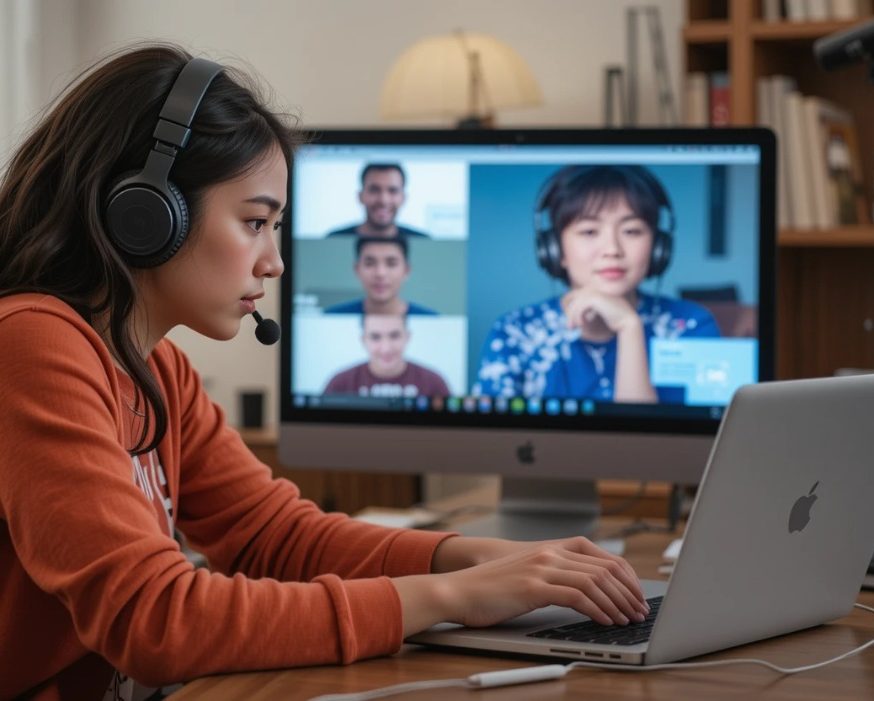
Boost your online meeting communication skills with real-life dialogues and practical tips.
Get familiar with the online meeting etiquette!
In today’s digital world, virtual meetings have become a normal part of our professional lives. Whether you’re joining a Zoom call with colleagues, attending an online class, or participating in a business video conference, having the right words and phrases at your fingertips can help you communicate clearly and confidently.
This guide will introduce you to essential vocabulary and useful expressions tailored for online meetings and virtual professional interactions. You'll learn how to navigate technical features, engage politely, handle common challenges, and contribute smoothly to conversations. These phrases will not only make your online meetings more efficient but also help you build better connections with others—even from a distance.
Bonus: You’ll also find a bonus section on online meeting etiquette and cross-cultural awareness, so you can not only use the right words, but also communicate with professionalism and respect in any international setting.
Introduction: Why Online Meeting Vocabulary Matters
We’ve all been there—logging into a Zoom call, microphone off, camera slightly awkward, trying to sound professional while the Wi-Fi decides to test your patience. Mastering online meeting vocabulary isn’t just about sounding fluent; it’s about feeling confident and communicating clearly in the digital workplace. With the right phrases, you’ll know how to start, manage, and wrap up virtual meetings like a pro—so you can focus on connection, not technical confusion.
Useful expressions:
- "Can you hear me clearly?"
- "Let's wait a moment for everyone to join."
- "I’ll share my screen now."
- "Could you please repeat that?
- "Thanks, everyone, for your time today."
Key Technical Terms You’ll Hear in Virtual Meetings
Online meetings come with their own vocabulary. Understanding these words and phrases helps you follow instructions smoothly and avoid confusion when someone says, “You’re on mute!”
Vocabulary list:
- Mute / Unmute: Turn your microphone off or on.
- Share screen: Show your computer screen to others.
- Breakout rooms: Smaller virtual spaces for group discussions.
- Bandwidth / Connection: The strength of your internet signal.
- Lag / Delay: When voice or video takes a few seconds to catch up.
- Host / Co-host: The person organizing and managing the meeting.
- Chat: Text box where participants can type messages.
- Raise hand: A feature to signal you’d like to speak.
- Recording: Saving the session for future reference.
Example sentences:
- "Please mute your mic when you’re not speaking."
- "Let me share my screen so you can see the slides."
- "We’ll use breakout rooms for the next activity."
Polite Phrases to Use During Online Conversations
Online meetings are not just about information—they’re about professionalism and tone. The right polite expressions create a positive atmosphere, even through a screen.
Polite expressions:
- "Good morning / afternoon, everyone. Thanks for joining."
- "Nice to meet you all virtually!"
- "Please feel free to ask questions at any time."
- "Could you elaborate a bit more on that point?"
- "Sorry to interrupt, but may I add something?"
- "That’s a great suggestion—thank you."
- "I really appreciate your input."
For acknowledging others diplomatically:
- "That’s a good point, let’s explore that idea."
- "I agree with what you said earlier."
- "Thank you for clarifying."
Managing the Flow: Common Expressions for Smooth Meetings
A successful online meeting often depends on how well it’s managed. Using clear, polite signals helps keep the conversation focused and everyone engaged.
Useful phrases for meeting flow:
- "Let’s get started."
- "I’ll quickly run through the agenda."
- "We have about 10 minutes for this topic."
- "Let’s move on to the next point."
- "Can we circle back to that later?"
- "Please keep your mic muted unless speaking."
- "Let’s take a short break."
- "We’re running out of time, so let’s summarize."
Example sentences:
- "I’ll take notes and share them after the meeting."
- "Let’s stick to the topic for now."
- "Before we wrap up, does anyone have questions?"
Handling Technical Issues with Confidence
Even the best online meetings have the occasional glitch. Knowing the right phrases can help you stay calm and professional when something doesn’t go as planned.
Useful vocabulary and phrases:
- "I think you’re on mute."
- "Your connection seems unstable."
- "Sorry, I got disconnected."
- "Can you hear me now?"
- "There’s a bit of background noise."
- "My video is freezing—give me a second."
- "Could you please repeat that? The audio dropped."
- "I’ll turn off my camera to improve the connection."
Pro tip: Stay calm, smile, and use phrases that show control and patience.
Example: "No worries—these things happen online!"
Wrapping Up: Closing and Follow-Up Phrases
A professional ending leaves a lasting impression. Clear closing statements help confirm next steps and keep communication smooth beyond the meeting.
Useful closing expressions:
- "We’re out of time, so let’s wrap up here."
- "Thanks, everyone, for your valuable input."
- "I’ll send a follow-up email with today’s notes."
- "Please reach out if you have any questions."
- "Looking forward to our next meeting."
- "Have a great day, everyone!"
Friendly touches:
- "That was a productive discussion—thank you all!"
- "Thanks for your patience today, team!"
Real-Life Dialogue Examples: Putting Vocabulary into Practice
Now that you’ve got the vocabulary, let’s see it in real action. These short dialogues show how professionals use these phrases naturally in different online meeting situations.
Example 1 – Starting a Meeting
(A)
Host: Good morning, everyone! Let’s wait a moment for others to join. Can everyone hear me clearly?
Team Member: Yes, all good here. Thanks for hosting, Sarah.
(B)
Host (Sarah): Good morning, everyone! Thanks for joining our weekly status update. Can everyone hear me okay? Let's wait a moment for others to join.
Participant (Mike): Good morning, Sarah. I can hear you clearly. Nice to meet you, Alex—welcome to the team!
Host (Sarah): Great, thanks Mike. I'll share the agenda now. Please feel free to ask questions in the chat or unmute to speak. We're running on time today.
Example 2 – Technical Glitch
(A)
Participant: Sorry, I think you’re on mute.
Presenter: Oh, thanks for pointing that out! Can you see my slides now?
(B)
Presenter (Lisa): Alright, I'll share my screen now to walk through the quarterly report. Does anyone have trouble seeing it?
Participant (Tom): Lisa, my video is freezing—can you hear me? Sorry, I got disconnected for a second.
Presenter (Lisa): No worries, Tom. Are you on mute? Try turning your microphone on. Thanks for your patience—let's circle back to that slide. Could you please repeat your question?
Example 3 – Discussing Ideas
(A)
Manager: That’s a great suggestion, Maria. Let’s explore that a bit more.
Maria: Sure! I can share my screen to show a quick example.
(B)
Host (David): Hello team, good afternoon. Can you see my screen? We're here to brainstorm project ideas—please mute your mic when not speaking to avoid background noise.
Participant (Emma): That's a great point, David. I appreciate your input on the timeline.
Participant (Raj): Sorry to interrupt, but could we use a poll for priorities? Does anyone have any questions before we move on?
Example 4 – Keeping the Meeting on Track
(A)
Host: Great discussion so far. Let’s move on to the next item—can we circle back to this point at the end?
(B)
Host (Anna): We've covered a lot—let's take a short break for five minutes. Please don't leave the meeting; I'll record the session for absentees.
Participant (Carlos): Thanks, Anna. Quick question before the break: Can we record the breakout rooms too?
Host (Anna): Good question. Yes, but let's discuss after. Back in a few—connection issues? Use the chat.
Example 5 – Closing the Meeting
(A)
Host: We’ve covered everything for today. I’ll email a summary later.
Participant: Thanks! Have a great afternoon, everyone.
(B)
Host (Jordan): Thanks for your contributions, everyone. We're out of time, but I'll send the minutes and follow-up email later.
Participant (Sophie): Thank you, Jordan. Looking forward to our next meeting. Have a great week!
Host (Jordan): You too, Sophie. Please reach out if you have questions. Meeting adjourned—bye for now!
General Online Meeting Etiquette
Good online etiquette makes you look professional and respectful, even if you’re calling from your kitchen table. These habits help build trust and keep meetings focused.
Do:
- Join a few minutes early to test audio, video, and screen sharing.
- Keep your microphone muted when you’re not speaking.
- Look into the camera when talking to show attention and respect.
- Use a neutral, tidy background and good lighting.
- Stay present (no emails, no scrolling on your phone).
Don’t:
- Talk over others; use “raise hand” or the chat instead.
- Eat, multitask, or walk around during the meeting.
- Use slang or potentially offensive jokes in professional calls.
Useful phrases:
- "I joined a bit early to check my audio and video."
- "I’ll stay on mute when I’m not speaking."
- "If you’d like to speak, please feel free to use the raise-hand feature."
Cross-Cultural Awareness and Respect
In international teams, people may show politeness differently, speak at different speeds, or need more silence to think. Being curious and patient makes collaboration smoother.
Key ideas:
- Keep language simple and avoid idioms or culture-specific jokes.
- Allow extra time after asking a question so quieter or more reflective speakers can respond.
- Remember that some cultures are more direct, others more indirect—don’t assume rudeness.
- Be flexible with time zones and rotate meeting times if possible.
Useful phrases:
- "I’ll try to keep my language simple—please let me know if anything is unclear."
- "I’ll give everyone a moment to think before we move on."
- "If this time is difficult for your time zone, please suggest alternatives."
- "I really value hearing different perspectives—please feel free to share yours."
Professional Tone and Participation
Professional doesn’t mean cold or robotic. Aim for warm, respectful, and focused. This helps people feel safe to speak and keeps the meeting productive.
Do:
- Greet people by name and give a short, clear introduction.
- Stay on topic and respect the agenda and time limit.
- Invite quieter participants to share their views.
Useful phrases:
- "Good morning, everyone. I’m [Name], and I’ll be facilitating today’s meeting."
- "To respect everyone’s time, let’s stick to the agenda."
- "We haven’t heard from you yet, [Name]—would you like to add anything?"
- "Let’s make sure everyone has a chance to speak."
Camera, Chat, and Reactions
Camera, chat, and reactions can help build connection—but they can also distract if misused. Clear expectations keep things smooth.
Do:
- Turn on your camera when possible to build trust, unless you’ve agreed otherwise.
- Let the host know if you can’t use video that day.
- Use chat for short questions, links, and quick clarifications.
- Use reactions (thumbs up, clapping) to show agreement without interrupting.
Useful phrases:
- "I’ll keep my camera off today, but I’m fully here in the chat."
- "I’ll post the link in the chat."
- "If you agree, feel free to use the thumbs-up reaction."
- "Let’s keep side conversations in the chat to a minimum so we stay focused."
Discover more practical Business English Guides and other General English Resources available on our site